

Cyberduck for mounting volumes in the file explorer.
Sign in or create an account to unlock your exclusive price
Mountain Duck 5
Mountainduck·v5.2.1
- Official license · Direct from developer
- Instant Download Access
- 1 Mac
- Secure Checkout
Mount server and cloud storage as a local disk.
Mountain Duck lets you mount server and cloud storage as a disk in Finder on macOS and the File Explorer on Windows. Open remote files with any application and work like on a local volume.
Integrated Connect Mode
The new Integrated connect mode syncing with File Provider (macOS) and Cloud Files (Windows) APIs. No device driver installation or network mount required. Familiar user interface known from iCloud and OneDrive.
Smart Synchronization
View all files on your remote storage regardless if synced to your computer. Files are synchronized to your local disk when opened to allow offline usage.
- Work Offline
Select files and folders to always keep offline on your computer. Other files are downloaded and cached on demand only and otherwise do not take space on your local disk. - Background Uploads
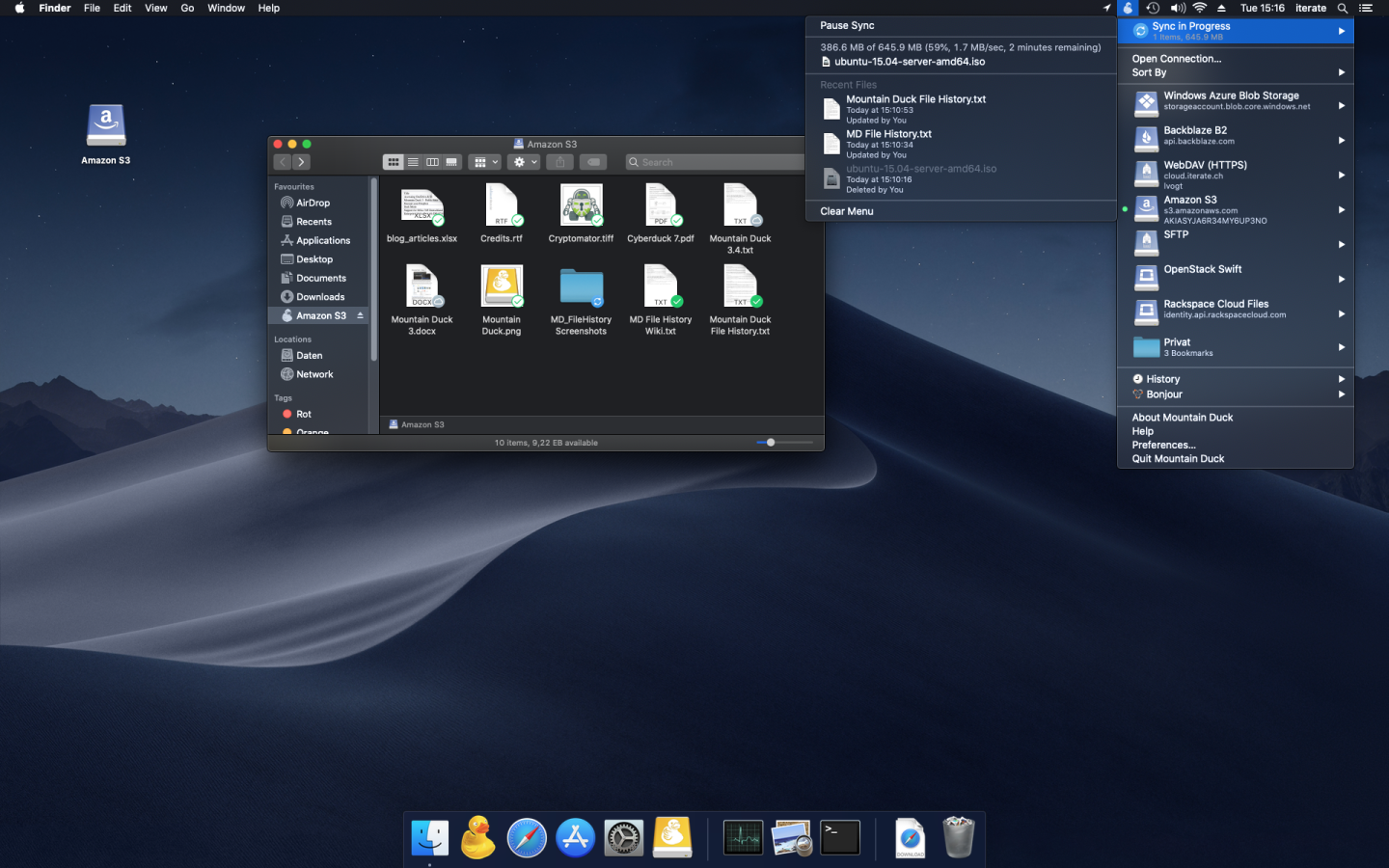
Changes are uploaded in the background as soon as a connection is available. Status icons indicate sync progress.
Fully integrated unobtrusive interface
Runs in the status bar on macOS or the system tray on Windows with sync progress, file history and connection management. Sync options at your fingertip with context menu in Finder and File Explorer.
- Search
Search files and folders on your remote storage with Spotlight (macOS). - Activity
Track and cancel currently running sync operations in the new Activity panel. - Notifications
Notification badge when a file is added or updated on the server. - History
Detailed view of transfers in progress and history of recently edited files on your computer and on the server. - Share
Share files using the context directly in Finder on macOS and Windows Explorer. Create links for others that auto expire with Amazon S3, OpenStack Swift, Microsoft Azure, Backblaze B2 and others. Mountain Duck also supports creating shares in Dropbox, Google Drive, Backblaze B2, Microsoft OneDrive and NextCloud & ownCloud deployments. - File Locking
Locking files to prevent conflicting edits from others when opening documents in Microsoft Office. Locks files on WebDAV servers when supported or alternatively using lock owner files - Versions
Open and revert previous versions of files in versioned Amazon S3 buckets. Preview earlier versions with Quick Look or the default editor application. - Custom Versioning
Safeguard against potential file loss with custom versioning. Stash changes to a file in a versioned folder on the server. - FTP A trusted and widely tested File Transfer Protocol implementation offering seamless interoperability, complete with secure SSL/TLS connections.
- SFTP Experience secure file transfers with strong ciphers, public key, and two-factor authentication. Effortlessly read settings from your existing OpenSSH configuration.
- WebDAV Enjoy full compatibility with ownCloud, box.com, SharePoint, BigCommerce, and other WebDAV servers. Supports TLS mutual (two-way) authentication with client certificates.
- SMB Easily access Windows File Shares or Samba Linux Servers for smooth file management.
- OpenStack Swift Connect to Rackspace Cloudfiles or any other OpenStack Swift cloud storage provider with ease.
- S3 Seamlessly connect to any Amazon S3 storage region, complete with support for large file uploads.
- Google Cloud Storage Mount and manage buckets from Google Cloud Storage, whether in US or Europe locations.
- Azure Access and manage your Microsoft Azure Cloud storage directly from your desktop.
- Backblaze B2 Mount low-cost, high-performance cloud storage right on your desktop.
- Google Drive Access Google Drive instantly without syncing documents to your local disk. Use URL reference files to open Google Docs directly in your browser.
- Dropbox Connect to Dropbox seamlessly without syncing local copies, keeping your storage light and efficient.
- OneDrive Effortlessly connect to OneDrive Personal, OneDrive Business, and SharePoint Online accounts.
- Box Work securely with Box, the trusted cloud storage solution for leading organizations.
Features for Teams
Cryptomator Vaults
Transparent client-side encryption using Cryptomator interoperable vaults. Encryption for data at rest prevents unauthorized access regardless of the server or cloud storage infrastructure.
Solid Foundation
Based on the solid open source foundation of Cyberduck, all major protocols are supported to connect to just about any server you want. Bring your own storage!





What You Can Do
1 use case for Mountain Duck 5
Frequently Asked Questions
Common questions about this deal
01What's included with Mountain Duck 5 on BundleHunt?
Mountain Duck 5 on BundleHunt includes a license key and instant download access. The license is obtained directly from the developer and activates the latest version of the software.
02How do I get my Mountain Duck 5 license key?
After purchasing Mountain Duck 5 through BundleHunt, your license key and download link will be available immediately in your account under "Downloads & Licenses". You can access them anytime.
03What version of Mountain Duck 5 will I receive?
You will receive the developer's most up-to-date version of Mountain Duck 5, fully activated and ready for immediate use.
